How to Request for an Approval?
You can create an approval request either from the task sidebar or by adding an approval flow element in the Workflow Settings to automate the approval process.
An Approval can be added when a task has been created
- Navigate to the Add task option in either your personal board or a specific Project/Team.
- Create a task, add a description and attachments, then Save
- Open the task you’ve created
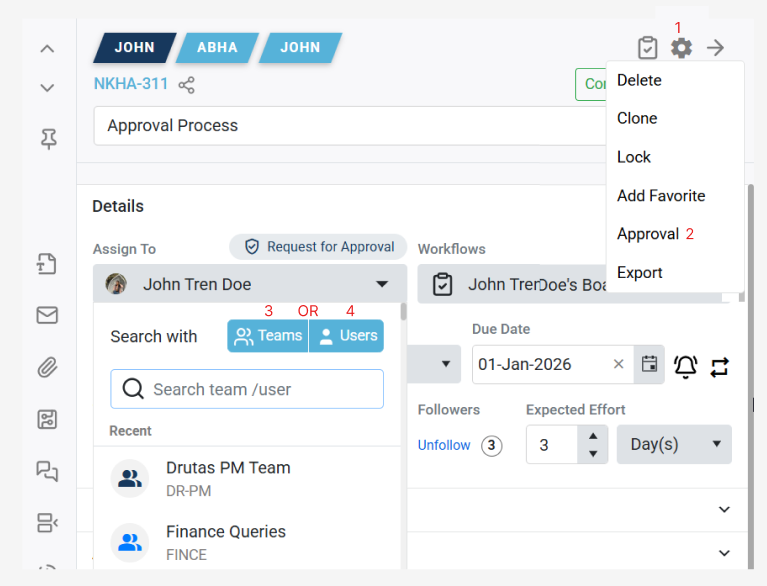
- Click on the approval icon situated within the settings gear icon on the task sidebar (denoted by 1 in the image) .
- Upon clicking the approval button (denoted by 2), an approval icon will appear on the top of the task assignment details.
- Assign the task to a designated Approver using the assignment dropdowns (denoted by 3-4) , it can either be a specific project/team or you can assign it directly to a user: